




VisuDoc Now Available on MacOS
Compatible with Apple Silicon (M-series) and Intel Macs
VisuDoc is now available on macOS and is designed to integrate smoothly into existing clinical workflows—without new hardware or complex setup. VisuDoc is now compatible with the following macOS devices:
Apple Silicon (ARM64) Macs – minimum macOS 11.0 (Big Sur) or later:
MacBook Air (M1, M2, M3)
MacBook Pro (M1, M2, M3)
iMac (M1, M3)
Mac mini (M1, M2)
Mac Studio (M1, M2)
Mac Pro (M2)
Intel (x86_64) Macs – minimum macOS 10.15 (Catalina) or later:
All Intel-based Mac computers
Supports running on Apple Silicon Macs via Rosetta 2
There is no need to replace or upgrade existing computers—all supported devices can run VisuDoc with confidence.
Working Seamlessly With QuikVue and MeiboVue
VisuDoc is an ophthalmic case management app developed by VisuScience, designed to bring imaging, documentation, and clinical insight together in one place.
It works seamlessly with two key VisuScience imaging devices:
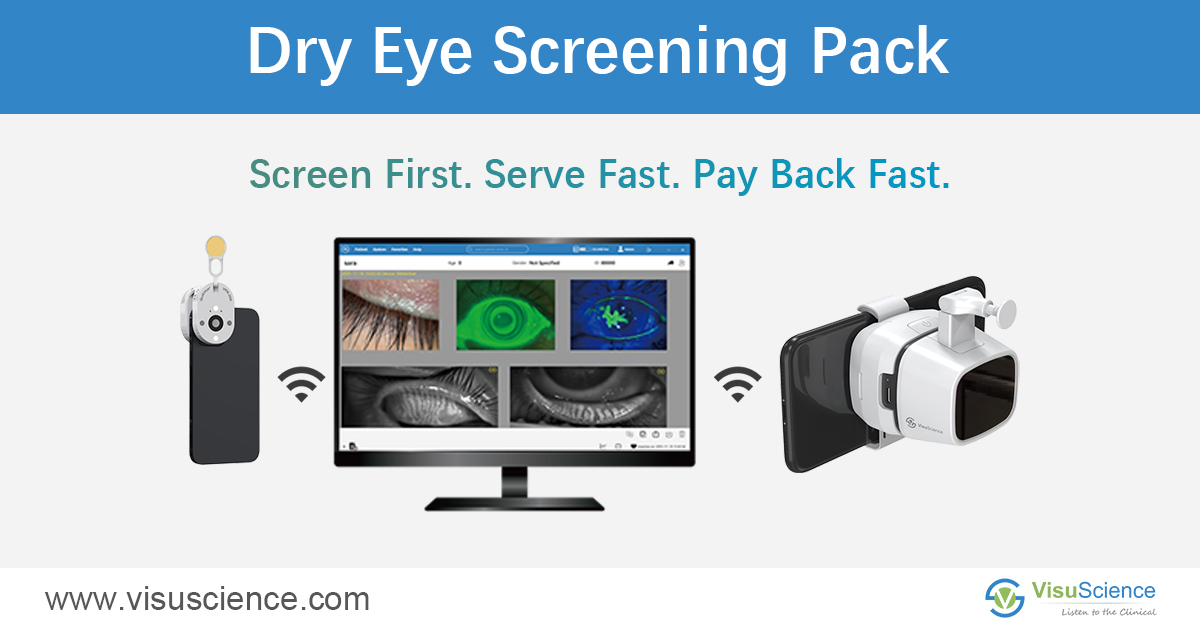
QuikVue – a smartphone eye imaging adaptor used to capture anterior segment images
MeiboVue – an infrared imaging camera designed to capture meibomian gland images for dry eye diagnosis reference
By connecting these devices through VisuDoc, clinicians can manage different types of ocular images within a single, unified system. Beyond image acquisition, VisuDoc supports structured clinical documentation. It allows practitioners to:
Record ophthalmic pathology and patient information
Add diagnostic opinions and clinical notes
Maintain organized case records for ongoing disease management
This integrated approach helps streamline documentation while supporting clearer communication—both within the clinic and during patient education.
Access the macOS Version via the Content Library
To download the macOS version of VisuDoc, visit the VisuScience Content Library:
1. Log in to: https://contentlibrary.visuscience.com/
2. Search for: VisuDoc macOS Software Download
3. Download and install
Compatible with Apple Silicon (M-series) and Intel Macs
VisuDoc is now available on macOS and is designed to integrate smoothly into existing clinical workflows—without new hardware or complex setup. VisuDoc is now compatible with the following macOS devices:
Apple Silicon (ARM64) Macs – minimum macOS 11.0 (Big Sur) or later:
MacBook Air (M1, M2, M3)
MacBook Pro (M1, M2, M3)
iMac (M1, M3)
Mac mini (M1, M2)
Mac Studio (M1, M2)
Mac Pro (M2)
Intel (x86_64) Macs – minimum macOS 10.15 (Catalina) or later:
All Intel-based Mac computers
Supports running on Apple Silicon Macs via Rosetta 2
There is no need to replace or upgrade existing computers—all supported devices can run VisuDoc with confidence.
Working Seamlessly With QuikVue and MeiboVue
VisuDoc is an ophthalmic case management app developed by VisuScience, designed to bring imaging, documentation, and clinical insight together in one place.
It works seamlessly with two key VisuScience imaging devices:
QuikVue – a smartphone eye imaging adaptor used to capture anterior segment images
MeiboVue – an infrared imaging camera designed to capture meibomian gland images for dry eye diagnosis reference
By connecting these devices through VisuDoc, clinicians can manage different types of ocular images within a single, unified system. Beyond image acquisition, VisuDoc supports structured clinical documentation. It allows practitioners to:
Record ophthalmic pathology and patient information
Add diagnostic opinions and clinical notes
Maintain organized case records for ongoing disease management
This integrated approach helps streamline documentation while supporting clearer communication—both within the clinic and during patient education.
Access the macOS Version via the Content Library
To download the macOS version of VisuDoc, visit the VisuScience Content Library:
1. Log in to: https://contentlibrary.visuscience.com/
2. Search for: VisuDoc macOS Software Download
3. Download and install